
Name-Based Case Searches
Every name search in Comanche County runs through a different door. The Comanche County District Clerk points visitors to the Tyler Odyssey public-access portal. That portal covers district civil, felony, and family matters. The County Clerk offers no full public name database for constitutional County Court or probate files. The official FAQ sets out an in-person or written search instead. Municipal citations live in separate City of Comanche and De Leon portals.
Use a full legal name and a tight date range. Common names bring false matches. An odd spelling can hide the case you want. For Comanche County criminal and probate name searches, a starting date matters. Without one, the stated default runs from 1992 to the present. Send private identifiers only to the clerk in charge. Use an approved channel, never a public post.
- Identify the court from a pleading, citation, notice, or prior docket entry.
- Open the official clerk page and follow its portal link when that case type is indexed.
- Search the narrowest name form and date range available, then compare the court and case type.
- If no reliable match appears, contact the correct clerk for the written or counter-search process.
| Official channel | Name-search details | Best use |
|---|---|---|
| Tyler Odyssey | Exact live fields require portal confirmation | Indexed district cases |
| County Clerk request | Name plus a date or starting point | County criminal or probate files |
| Municipal portal | Name and date of birth fields | City-issued citations |
Comanche County Portal Layers
Each Comanche County search tool does a different job. Tyler Odyssey is the county-linked public-access portal. re:SearchTX is the statewide research layer. The Texas Office of Court Administration describes it. eFileTexas handles filing and account workflows, not public case lookup. The county payment site is no general docket search either.
The safest route to state court tools is the official Comanche County Quick Links page. A loading screen or an account prompt does not mean the case is missing. Fall back on the clerk by phone, mail, or at the counter. Coverage, document images, and older indexes vary between systems.
The county District Clerk page is the official starting point. It leads to district records in Comanche County.
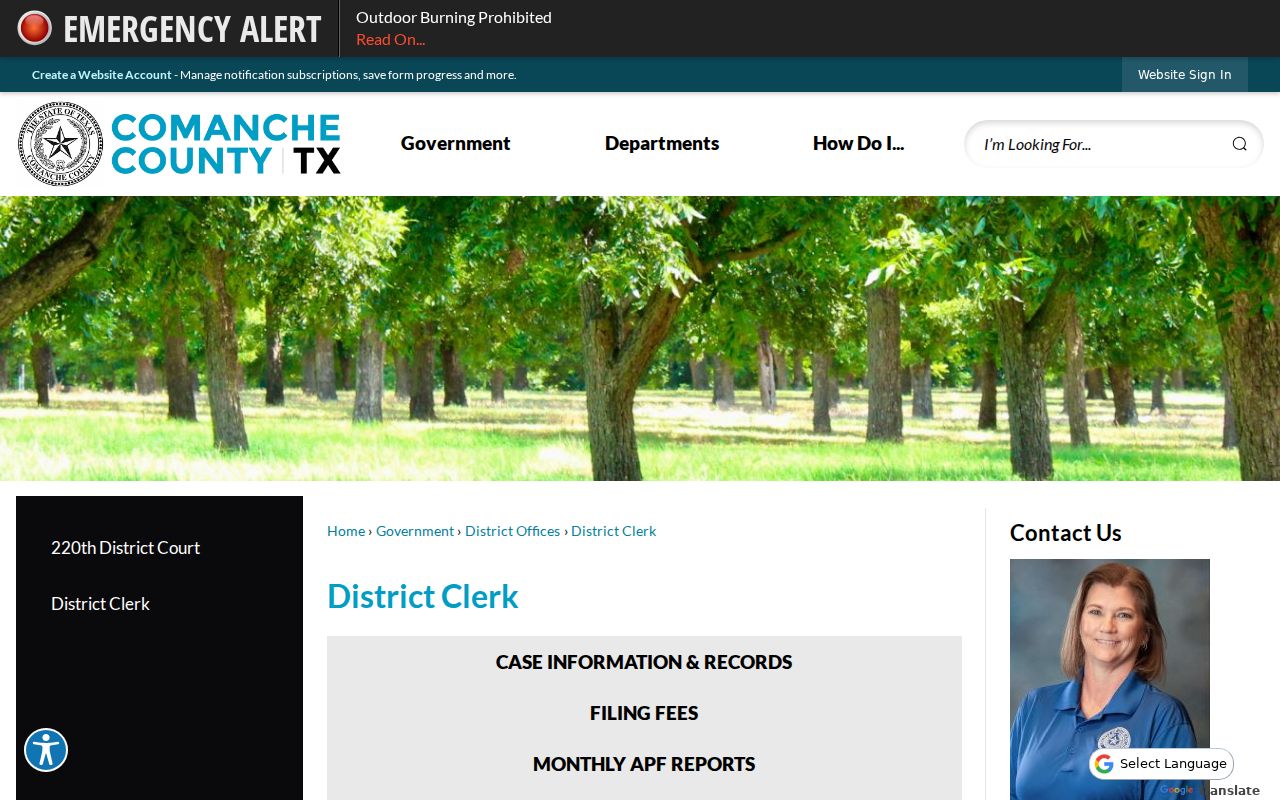
District Clerk page: its links and contact details connect a web search to the office that can confirm a result or issue an official copy.
Case Number Searches
One file, one court. That is why a case number is usually the strongest search key. Comanche County's posted criminal lists label the field simply Case Number. There is no single confirmed local pattern. Inventing a year or a case-type code would only mislead. Copy every letter, number, punctuation mark, and leading zero exactly from the source document.
Read the heading before trusting a match. A County Court Criminal Docket List is not the complete 220th Judicial District Court felony register. The same number may mean little in a municipal citation portal. If a search fails, try only harmless tweaks like removing spaces. Then ask the clerk which part of the number belongs in the search box. A case number locates a file. The named court confirms which clerk controls it.
Comanche County Clerk Routing
Knowing which clerk holds the file saves the most time. Comanche County splits its court records across several offices. District civil, felony, and family cases live with the Comanche County District Clerk. Probate and County Court matters start at the Comanche County Clerk instead. Justice of the Peace dockets cover traffic tickets, evictions, and small claims across the county. Municipal court in Comanche or De Leon handles city ordinance and Class C citations.
- District Clerk
- Start here for 220th, felony, district civil, or family files; call 325-356-2342.
- County Clerk
- Start here for probate or constitutional County Court files; call 325-356-2655.
- Justice of the Peace
- Start here for a DPS, Sheriff, or Game Warden citation; call 325-356-3543.
- Municipal clerk
- Use the named city portal or court office for a city police citation.
Federal cases skip all of those state and county routes. Comanche County belongs to the Northern District of Texas, Fort Worth Division. To pull a federal docket, use PACER or the federal clerk. A CourtListener or RECAP result can fill in detail. It does not add up to full federal coverage.
Case Search Results Explained
A docket result for Comanche County names the case and lists selected events. It works as a locator, not a full history. The Criminal Docket List leans toward the calendar, repeating case blocks between a stated From and To date instead of lining up every filing in order. A blank field means just that, a blank field. It does not prove nothing happened in the case. Results can also trail the clerk's file, and papers that are not online simply will not appear.
| Case Number | The primary cross-reference for the court file. |
|---|---|
| Court Date | The date tied to the listed setting, not necessarily the filing or judgment date. |
| Setting and Time | The event label and scheduled time; observed labels include MTR, STATUS, and ARRAIGNMENT. |
| Disposition | A result field that may be blank, pending, or filled. |
| Parties and Counsel | Names associated with the case, subject to access and privacy limits. |
| Offense or Case Type | The matter identified in that result, not a complete legal history. |
Do not count on the search for document images, full financial ledgers, transcripts, or sealed items. Treat it as a starting point. For anything complete or certified, bring the case number to the right Comanche County clerk.
Comanche County Docket PDFs
Need an older Comanche County criminal docket? The Civil/Criminal Dockets Archives is a second official channel for that. It carries dated 2025 Criminal Court Docket PDFs along with 2026 postings. Each list is headed by the Comanche County Court or the courthouse annex. It shows the date span it covers. The archive is handy when you want to confirm what actually appeared on a calendar.
Read every field by its printed label. Court Date is not Filing Date. A Setting Time proves nothing about whether the event happened. MTR, STATUS, and ARRAIGNMENT show up as setting labels. Yet the PDF does not spell out every consequence. Leave the label "CA" as "CA," since no official key exists for it. Also, never copy private date-of-birth values off a posted list.
January and June 2026 samples show the archive still gets fresh material. Even so, verify any critical date with the County Clerk or an attorney. A PDF can be swapped out at the same URL. And the visible calendar is never the whole case file.
Two Ways to Search: County and State
You have two search routes for Comanche County court records. The county portal is the direct local option. It is built on indexed District Clerk data. re:SearchTX goes wider, covering participating Texas cases, filings, text, and hearings, with filters, saved searches, and exports described in its official guide. Neither source promises matching coverage. A statewide hit cannot erase the county and court boundaries. Those boundaries decide where your official copy must come from.
| Question | Comanche County portal | re:SearchTX |
|---|---|---|
| Scope | Local indexed records | Participating Texas records |
| Best starting point | Known Comanche County district case | Unknown county or multi-county search |
| Possible detail | Local docket and case data | Cases, filings, text, documents, hearings |
| Official copy | Request from responsible clerk | Request from responsible clerk |
One more detail explains the plumbing. A 2025 state clerk verification identified NetData as Comanche County's internal case-management system. That fact does not open a new public search endpoint. It does explain why the county office system, the Tyler public portal, and a statewide research product can show different screens or update at different moments.
Comanche County Search Fallbacks
A Comanche County docket search came up empty. Confirm the court before you tweak the name. Next, check your date range; the file may simply predate the available index. The District Clerk takes requests in person or by mail. Visit at 215 N Houston during business hours of 8:30 a.m. to 5 p.m. Note the midday closure. You can also mail PO Box 206 with "Records Request" on the envelope. The office instructions ask for a self-addressed stamped envelope. Include the required check or money order too.
Criminal name searches by the county run in person or in writing. They cover Comanche County only. The FAQ sets a $5 fee per name, with separate copy and certification amounts. Probate works similarly by name and date through the County Clerk. There is no posted public-terminal policy. So simply ask whether a terminal exists and which years or courts it indexes.
Note: Call before you travel, since county offices use more than one courthouse or address.
Which Cases Stay Restricted
Public access never means every Comanche County case or document shows up online. Sealed files, confidential family material, protected addresses, minors' information, and some probate or guardianship details can be withheld or redacted. A docket event can stay visible while the filing attached to it stays hidden. The District Clerk's state verification also lists its juvenile office type as "no." Don't assume juvenile matters sit in the ordinary public felony, civil, or family search.
Texas judicial records follow their own access framework. The Texas Judicial Branch open-records policy splits court case records from administrative judicial records. Government Code Chapter 552 does not convert every adjudicative court file into a routine executive-agency public-information request. Rule 12 covers certain judicial administrative records. It includes exemptions. Clerk case access, meanwhile, also answers to court rules, statutes, and local procedure.
Use a result with care: A charge, bond field, setting, dismissal, or disposition entry is one part of a court record. Confirm the current file with the clerk before drawing a conclusion.
Comanche County Certified Copies
A portal result is not a certified record. Once you find the file, request the exact page or document. Ask the right Comanche County clerk for it. The District Clerk page sets $1 per page for official or certified copies. The County FAQ lists $1 per page. It adds another $5 per case for a certified criminal copy. Keep those amounts with their stated record paths. Don't blend them with municipal, probate, or federal charges.
Include the case number, court, document name, and date whenever you know them. A mailed District Clerk request goes to Comanche County District Clerk, Records Request, PO Box 206, Comanche, Texas 76442. Include the return materials and payment form. The official source posts no fixed turnaround. So allow time and confirm the current cost before sending funds.
The full copy-and-certification process is laid out in the Comanche County court case records reference. Search first to locate the file. Then ask only for the pages and level of certification you truly need.